Table of Contents
- Overview
- Role
- Problem
- Goal
- Solution
- Technical Implementation
- Challenges and Learnings
- Final Thoughts
Overview
BUBO Robot Companion App is an innovative iPadOS application that bridges physical and digital play to teach children computational thinking. Using MVVM-C architecture, UIKit, and Core Bluetooth, the app enables children to program a physical robot through an intuitive CodeBlock interface that scans RFID-enabled board game components.
Role
iOS Engineer
Problem
Children struggle to grasp abstract computational thinking concepts through traditional teaching methods:
- Lack of tangible feedback when learning programming concepts.
- Difficulty connecting code logic to real-world actions.
- Limited engagement with purely screen-based learning tools.
Goal
- Create an intuitive visual programming interface for children aged 6-12.
- Establish reliable Bluetooth communication between iPad and physical robot.
- Design interactive gameplay that naturally teaches computational thinking.
- Provide immediate physical feedback through robot actions.
Solution
Core Features
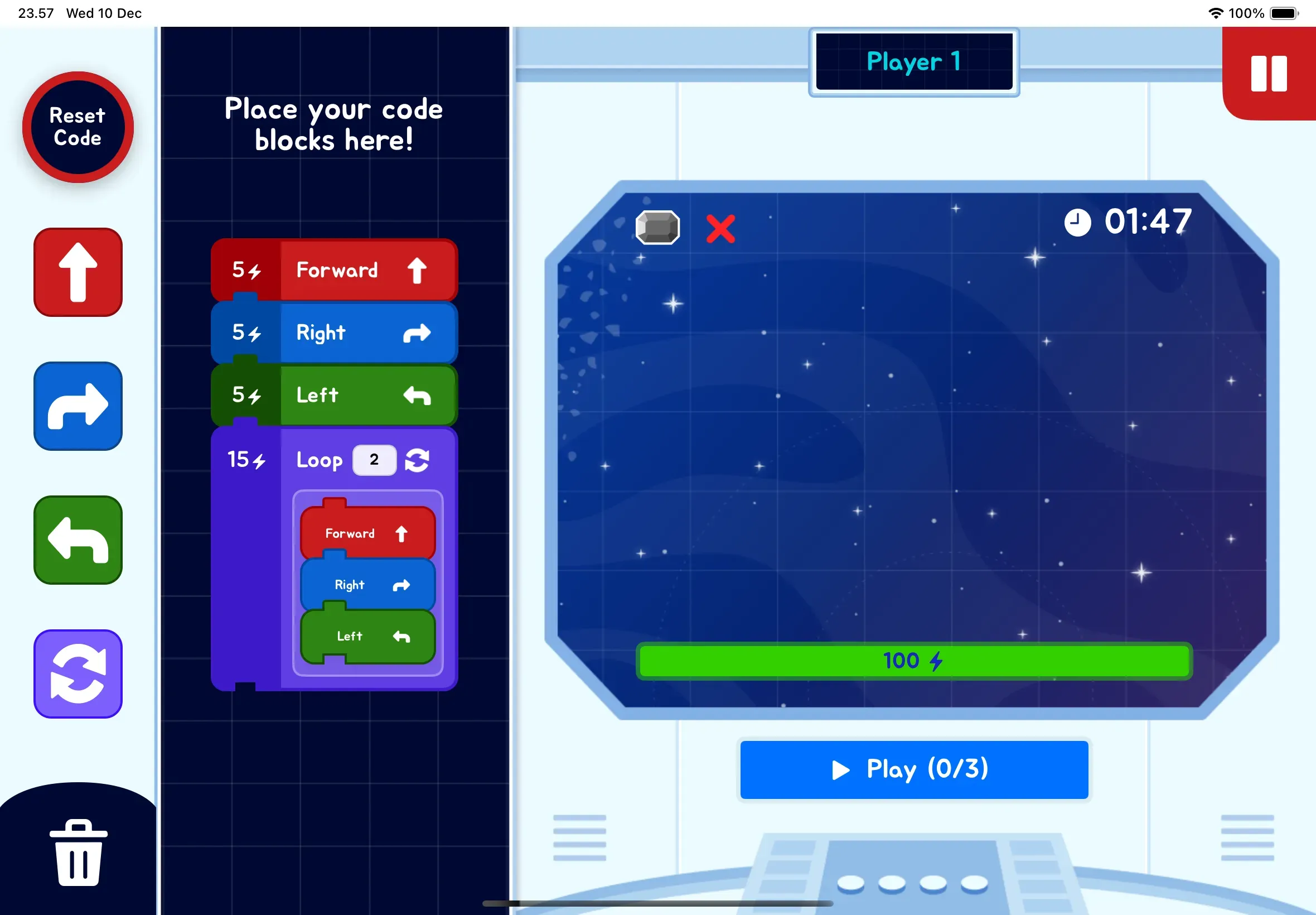
- CodeBlock Interface: Drag-and-drop programming blocks that compile to robot commands.
- RFID Integration: Robot scans board game pieces to trigger events and validate solutions.
- Real-time Feedback: Instant visual and physical responses to programmed actions.
- Progressive Challenges: Difficulty scales as children master concepts.
Technical Architecture
- MVVM-C Pattern: Clean separation of concerns with coordinator-based navigation.
- Core Bluetooth: Robust BLE communication with automatic reconnection.
- Custom UI Components: Child-friendly interface optimized for touch interaction.
Technical Implementation
Bluetooth Communication
Implemented custom protocol for bidirectional communication:
- Command queuing system for reliable execution
- Error handling and retry mechanisms
- Monitoring and connection status
CodeBlock System
Visual programming environment featuring:
- Modular code blocks (movement, loops, conditionals)
- Real-time syntax validation
- Step-by-step execution visualization
Challenges and Learnings
- Bluetooth Reliability: Maintaining stable connections required implementing sophisticated logic.
- Child-Friendly UX: Extensive user testing with children revealed the need for responsive touch and immediate visual feedback.
- Performance Optimization: Balancing smooth animations with Bluetooth communication required careful queue management.
Final Thoughts
- Physical Feedback Matters: Children showed better concept retention when code resulted in physical robot actions.
- Simplicity is Key: The most effective interface was the simplest one to better learning outcomes.
- Iterative Testing: Regular sessions with target age group were crucial for creating truly intuitive interactions.