Table of Contents
- Overview
- Role
- Problem
- Goal
- Solution
- Technical Implementation
- User Testing
- Challenges and Learnings
- Final Thoughts
Overview
Sako is an offline-first iPadOS application designed for small business owners and market vendors to record and manage sales transactions without internet connectivity. Built with SwiftUI, SwiftData, and SwiftCharts, the app provides intuitive data visualization and seamless offline operation for reliable sales tracking anywhere.
Role
iOS Engineer
Problem
Small business owners and market vendors face critical challenges:
- Unreliable or no internet connectivity at market locations and remote areas.
- Manual record-keeping prone to errors and difficult to analyze.
- Lack of real-time insights into sales performance and inventory.
- Time-consuming end-of-day reconciliation processes.
Goal
- Create a fully functional offline sales recording system.
- Provide clear, actionable data visualization for business insights.
- Design intuitive interface for quick transaction entry during busy periods.
- Optimize for iPad to leverage larger screen for better data visibility.
Solution
Core Features
- Transaction recording with product catalog
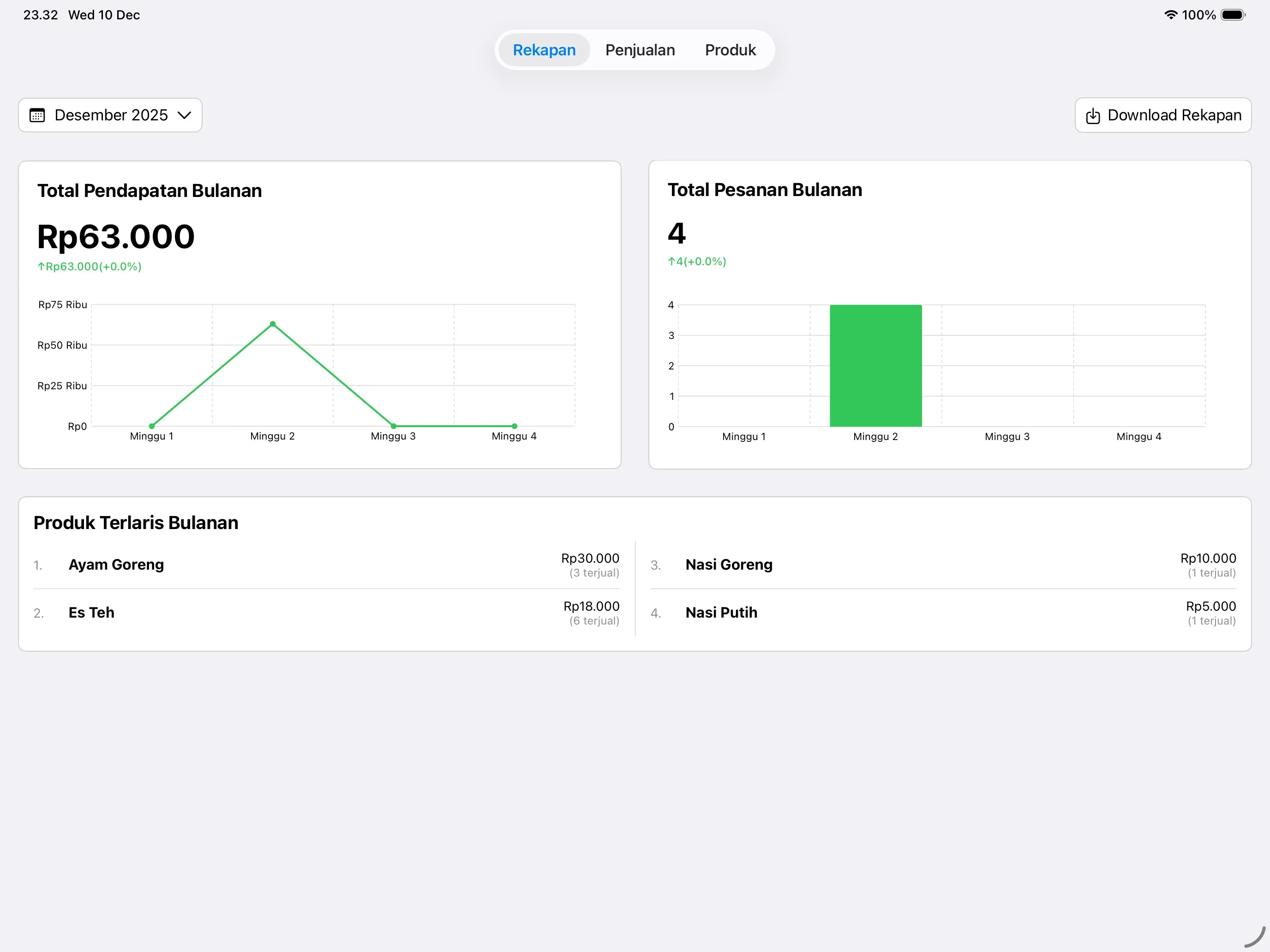
- Real-time sales dashboard with charts
- weekly/monthly revenue analysis
Technical Implementation
SwiftData Integration
Data Persistence:
- Offline-first with local storage
- Relationship management between transactions, products, and categories
SwiftUI & SwiftCharts
UI Implementation:
- Interactive charts for revenue trends
- Adaptive layouts for different iPad sizes
- Dark mode support
User Testing
Tested with canteen vendors:
Key Findings:
- Offline functionality essential for areas with poor connectivity
- Most users were older, preferring larger text and touch targets
- Simple UI with clear purpose preferred over feature-heavy interfaces
- Visual sales data helped identify peak hours and popular items
Improvements Made:
- Increased font sizes and button dimensions for better accessibility
- Simplified product entry workflow
Challenges and Learnings
- First User Research: Learning to conduct interviews to identify real problems and opportunities, translating user needs into actionable solutions.
- Age-Appropriate Design: Older users needed larger UI elements and simplified workflows for better usability.
Final Thoughts
- Design for Your Users: Larger UI elements and simple workflows were essential for older users.
- Offline-First Essential: Reliable offline functionality was critical for canteen environments.